Use the KDP spine width formula with your final page count and paper type, see worked examples, and know when to recalculate before making the cover.
For a KDP paperback, multiply the final formatted page count by the thickness factor for the selected paper and interior type.
For the two common black-and-white paperback options, the KDP spine width formulas are:
page count x 0.002252 inchespage count x 0.0025 inchesA 200-page black-and-white paperback has a 0.4504-inch spine on white paper or a 0.5-inch spine on cream paper.
The important word is final. Use the total page count of the formatted manuscript file you will upload to KDP, including front matter, body matter, back matter, and blank pages. Do not calculate from a draft, the number of pages that contain text, or a word-count estimate.
If your book settings are ready, use the KDP Cover Size Calculator to get the spine width and the full back-spine-front cover dimensions together. Use the formula below when you want to understand or check the result.
KDP currently lists these paperback spine factors:
| Paperback interior and paper | Spine width formula |
|---|
| Black ink, white paper | page count x 0.002252 in |
| Black ink, cream paper | page count x 0.0025 in |
| Standard color, white paper | page count x 0.002252 in |
| Premium color, white paper | page count x 0.002347 in |
These are not interchangeable numbers. The same manuscript can produce a different spine when you change the paper or interior type.
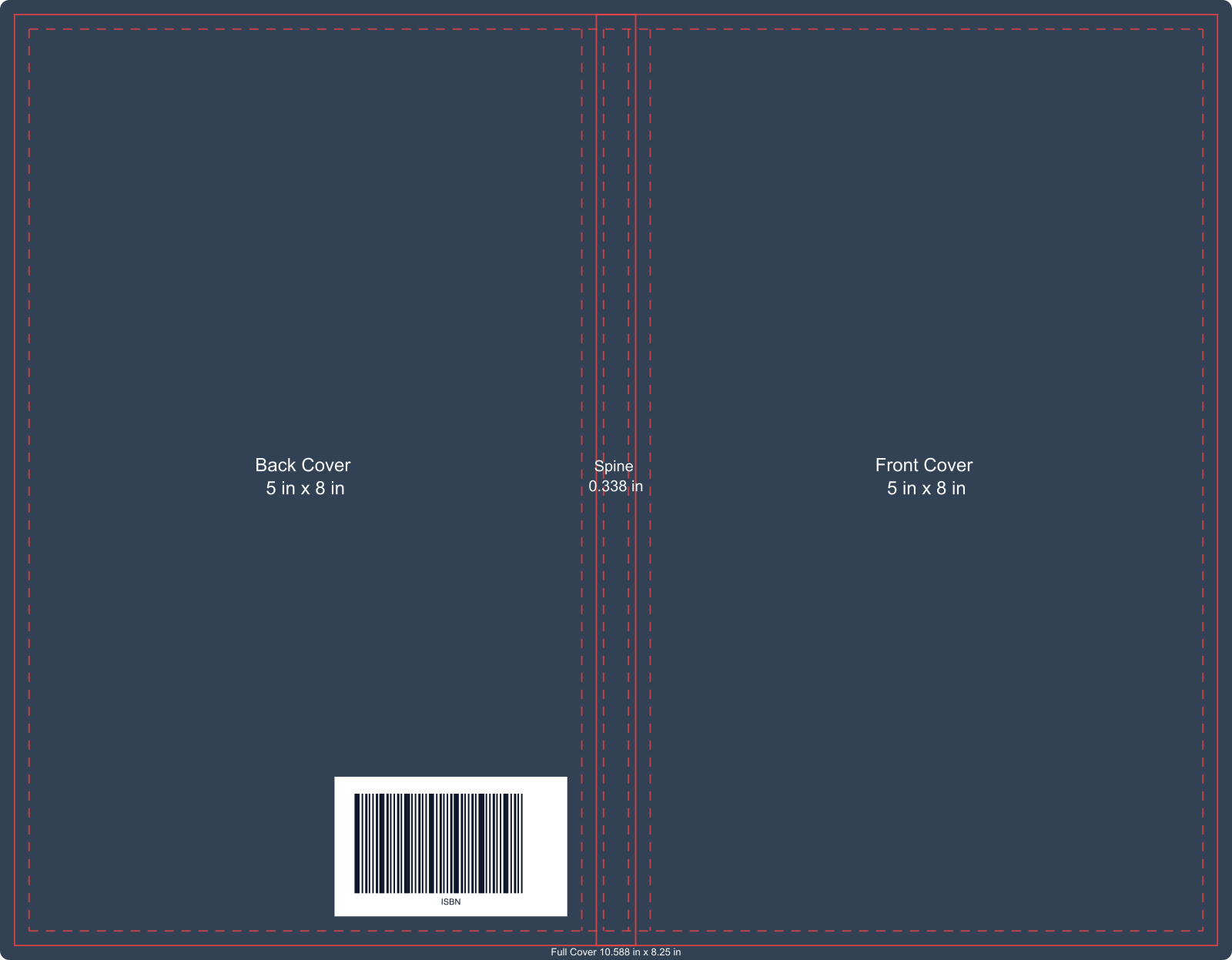
The formula gives the spine width, not the finished cover-file size. A KDP paperback cover is one wraparound file that includes the back cover, spine, front cover, and bleed.
White paper:
100 x 0.002252 = 0.2252 inches
Cream paper:
100 x 0.0025 = 0.25 inches
The cream-paper spine is 0.0248 inches wider.
White paper:
200 x 0.002252 = 0.4504 inches
Cream paper:
200 x 0.0025 = 0.5 inches
The cream-paper spine is 0.0496 inches wider.
White paper:
300 x 0.002252 = 0.6756 inches
Cream paper:
300 x 0.0025 = 0.75 inches
The cream-paper spine is 0.0744 inches wider. That difference is large enough to matter when you center a title, continue artwork across the folds, or reuse a cover made for another paper type.
Use this table for a quick check:
| Final page count | Black and white, white paper | Black and white, cream paper |
|---|---|---|
| 100 pages | 0.2252 in | 0.25 in |
| 150 pages | 0.3378 in | 0.375 in |
| 200 pages | 0.4504 in | 0.5 in |
| 250 pages | 0.563 in | 0.625 in |
| 300 pages | 0.6756 in | 0.75 in |
| 400 pages | 0.9008 in | 1 in |
This table is useful for checking your math. For the actual cover, calculate from the exact settings and page count of the book you will upload.
Use the page count of the final formatted manuscript, not the number of manuscript pages in Word and not the number of pages that contain writing.
Your KDP page count can include:
Finish the interior at the chosen KDP trim size, export or prepare the manuscript you intend to upload, and use that final total.
A word-count-to-page estimate can help while planning a book. It is not reliable enough for final cover production. Font, font size, line spacing, margins, trim size, chapter starts, images, tables, and blank pages can all change the total.
Every printed page adds thickness. If editing or formatting adds pages, the spine gets wider. If pages are removed, it gets narrower.
Cream paper is thicker than KDP's white paper for black-and-white interiors, so the same page count produces a wider spine. Premium color uses a different factor too.
This is why 0.002252 is not a universal book-spine constant. It applies to KDP paperback white paper for black ink and standard color under the current formula. Do not use it automatically for cream paper, premium color, another printer, or another binding.
Do not reuse paperback spine math for a KDP hardcover. Hardcover cover files include different structural allowances around the boards, wrap, spine, and hinges.
Use KDP's current Print Cover Calculator and Templates or the KDP Cover Size Calculator with Hardcover selected instead of trying to turn the paperback formula into a hardcover template.
Recalculate after any change that affects the final page count, paper, interior, or binding.
| Change | Why it affects the cover |
|---|---|
| Add or remove chapters, notes, images, or blank pages | Changes the total page count |
| Change font, font size, line spacing, or margins | Reflows the interior and may add or remove pages |
| Change the trim size | Reflows the manuscript and changes how many pages it needs |
| Switch between white and cream paper | Changes the per-page thickness factor |
| Switch between standard and premium color | Changes the interior specification and factor |
| Switch between paperback and hardcover | Changes the cover structure, not only the spine number |
| Replace a draft interior with the final PDF | May reveal a different final page count |
Treat the cover as attached to one exact version of the interior. If the interior changes, check the cover again before uploading.
Do not fix a slightly wrong spine by stretching the finished PDF. Rebuild or resize the source layout from the current dimensions so the front cover, back cover, text, barcode area, and folds stay aligned.
KDP states that a paperback must have at least 79 pages to include spine text. If the manuscript has fewer than 79 pages and the cover includes spine text, KDP can reject the cover and require a correction.
Meeting the page-count rule does not mean every title will fit well. KDP also says spine text should leave at least 0.0625 inches of space between the text and each edge of the spine.
Check these before keeping spine text:
For a narrow spine, removing the subtitle, shortening the text, reducing the type size, or omitting spine text may produce a cleaner result than forcing everything into the available space.
The spine is only one horizontal part of a paperback cover.
KDP expresses the complete width like this:
cover width = bleed + back cover width + spine width + front cover width + bleed
The cover height is:
cover height = bleed + trim height + bleed
For example, a 5 x 8-inch, 150-page black-and-white paperback on white paper has a 0.3378-inch spine. Its full cover is wider than 10.3378 inches because KDP also requires bleed on the outside edges.
Do not set a design canvas from the spine number alone. Use the KDP Cover Size Calculator to get the full cover width, height, spine, panel sizes, bleed, safe areas, and 300 DPI reference from the same inputs.
A draft may still reflow after editing and formatting. Calculate the final spine after the interior layout is complete.
The cover follows the total printed file, including front matter, back matter, and blank pages. Use the final formatted page count.
White, cream, standard color, and premium color do not all use the same factor. Match the formula to the selected KDP interior and paper.
Even a small page-count change alters the spine and the full cover width. Generate current dimensions before reusing the artwork.
An eBook cover is a front-cover image. A KDP paperback upload is a full back-spine-front PDF. If you already have only the front artwork, use the Ebook to KDP Paperback Cover Converter after the final print settings are ready.
A calculator can help you build the file. It cannot approve the book. Confirm the final settings with KDP's current template and review the uploaded manuscript and cover in KDP Print Previewer.
The formula is simple. The timing is what prevents mistakes.
Finish the interior, confirm the total printed page count, choose the actual paper and binding, and then calculate the cover. Recalculate whenever those inputs change.
Use the KDP Cover Size Calculator to turn those final settings into the spine width and full-cover dimensions you need for the back cover, spine, front cover, bleed, safe areas, and 300 DPI design reference.
When you are ready to build the full print cover from those settings—not only check the numbers—continue in the KDP Book Cover Generator to create the front, spine, back cover, and upload-ready file.