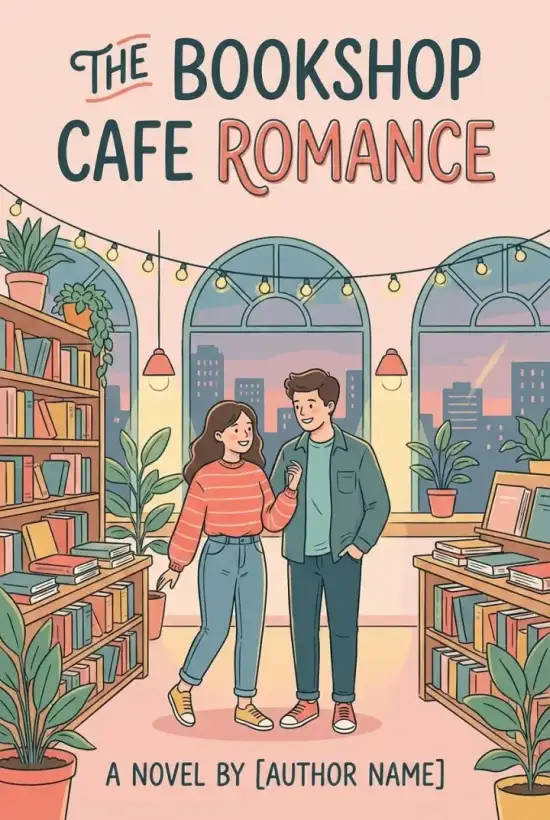
AI Book Cover Generator for Self-Published Books
Create book cover ideas from your title, author name, genre, and style. Start covers for ebooks, KDP paperback or hardcover projects, and Wattpad stories from one simple starting point.


Cover paths for self-published books
Choose your next step
Start with the cover path that matches your book
Begin with a general book cover, then move into KDP specs, Wattpad covers, mockups, or genre-specific cover ideas when your project needs a more focused path.
Book Cover Generator
Start on this page with your title, author, genre, and style.
Start hereAmazon KDP Cover Generator
Create Kindle, paperback, and hardcover covers for KDP.
Open KDP toolWattpad Cover Maker
Generate 512 x 800 story covers for Wattpad.
Open Wattpad toolKDP Cover Size Calculator
Check trim size, spine width, and full cover dimensions.
Check sizes3D Book Mockup Generator
Turn a finished cover into launch and marketing mockups.
Create mockupBrowse book covers by genre
If the publishing format is not your first question, start from the kind of book you are writing.
View all genresBook Cover by Genre
Browse genre-specific cover generators and examples.
Open generatorRomance Book Covers
Contemporary, historical, dark romance, and more.
Open generatorFantasy Book Covers
Epic fantasy, dark fantasy, romantasy, and urban fantasy.
Open generatorCookbook Covers
Recipe books, food photography, and illustrated cookbook styles.
Open generatorChildren's Book Covers
Picture books, early readers, and age-aware cover styles.
Open generatorComic Book Covers
Comic books, graphic novels, manga, and webcomic directions.
Open generatorHow Our Book Cover Generator Works
Start with the core details of your book, choose a format, and generate a cover direction you can download or continue into a KDP print workflow.
Input Details
Enter your book title, author, and a short description of your vision.
AI Generation
AI uses your prompt, genre, and style direction to create a cover preview.
Review
Preview the generated artwork and verify it matches your expectation.
Download
Download the cover file or continue into a KDP print-ready path when needed.
A Cover Workflow That Starts With the Book
Start with the details readers will see first: title, author, genre, and style, then choose the publishing use that fits.
Book Details First
The generator asks for the title, author name, genre, style, and prompt before it asks for a final publishing format.
Genre and Style Direction
Choose from genre-aware style presets so the first cover direction starts closer to the kind of book you are making.
Ebook and KDP Print Paths
Use the ebook path for a front cover, or continue into KDP paperback and hardcover settings when you need a full print cover.
Clean Downloads
Download cover files without watermarks for publishing workflows. Usage remains governed by the site terms.

Why Authors Switch to Our AI Cover Maker
Start from the book itself, then choose the publishing path that fits the project.
Zero Design Skills Required
Forget about Photoshop layers or learning design theory. Just describe your story, and our AI book cover generator visualizes it instantly.
Original Cover Directions
Generate a fresh cover direction from your prompt instead of starting from the same fixed template as every other author.
Genre-Specific Styles
Whether you are writing romance, fantasy, cookbook, children's, or comic books, start from a style that matches the shelf.
Supported Cover Uses
Keep each output tied to a real workflow: ebook front cover, KDP print cover, or Wattpad story cover.
| Use | Recommended Dimensions | Aspect Ratio | File Format |
|---|---|---|---|
| KDP Kindle eBook | 1600 x 2560 px | 1.6 : 1 | JPG / TIFF |
| KDP Paperback | Calculated by trim size | Full wrap | Print-ready PDF |
| KDP Hardcover | Calculated by trim size | Full wrap | Print-ready PDF |
| Wattpad Story Cover | 512 x 800 px | 1 : 1.56 | PNG / JPG |
Publishing Paths With Clear Boundaries
Each cover path stays tied to a real use case: ebook front covers, KDP paperback or hardcover covers, and Wattpad story covers.
Format Choices Stay Specific
Use the ebook path for a front cover, KDP paperback and hardcover for print-cover settings, or the Wattpad page for a 512 x 800 story cover.
Downloads Match the Path
Ebook and Wattpad flows lead to image downloads. KDP paperback and hardcover flows can continue into the print-ready PDF path.
No Watermarks on Downloads
Download clean cover files for publishing workflows. Usage is still governed by the site terms and the platform where you publish.
Independent Tool for Authors
The KDP print-cover path is built around Amazon KDP dimensions and file requirements. When you prepare a paperback or hardcover cover, always review the latest file guidelines from Amazon KDP. Wattpad story covers are handled separately as 512 x 800 front-cover images.
Please Note: This service is an independent tool for authors and is NOT affiliated with, endorsed by, or associated with Amazon.com, Inc., Kindle Direct Publishing, or Wattpad Corp.
Important Notice for KDP Authors
If you publish through KDP, you are responsible for following Amazon's AI-generated content disclosure policies during upload.
READY
Testimonials
What our customers are saying
Sarah J.
Indie AuthorDidn't expect it to be this easy. I just typed in my title and boom, cover done. saved me like $50 on fiverr.
Mike Chen
Self-PublisherHonestly I was skeptical about AI but the results are actually legit. The resolution is perfect for KDP, no issues uploading.
Jessica T.
Romance Writerfast. simple. love it.
David R.
Sci-Fi AuthorI've published 5 books this year and used this tool for all of them. The consistency is great and it handles the text placement way better than I could.
Alex M.
First-time AuthorMy cover looks pro.
Emily White
Thriller WriterWas struggling with the 1.6:1 ratio thing for hours until I found this. It just works. Highly recommend for any indie author starting out.
FAQ
Frequently Asked Questions
Ready to Create Your Book Cover?
Start from your title, genre, and style, then choose the cover path that matches your publishing plan.
